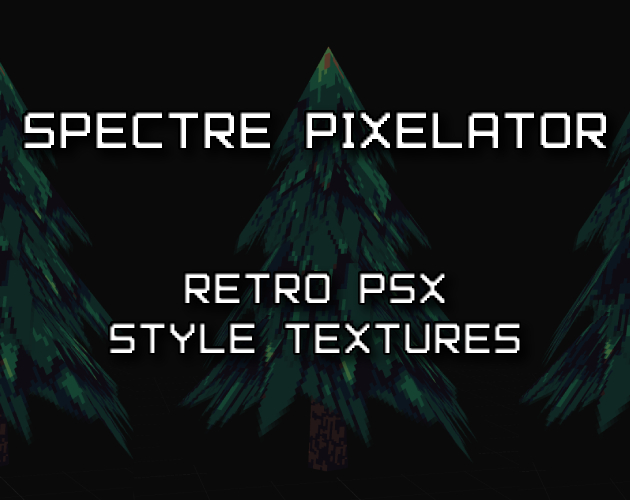
Texture processing for 3D models and raster images.
Downscale textures, map palettes, apply dithering and edge treatments, preview the result, and export the processed assets.
RuntimeC++17 / raylib
PlatformsWindows / macOS / Linux / Browser
LicenseFree for commercial use
Features
Pixelation
Configurable downscale (1x to 32x). Area-average down, nearest-neighbor up.
Quick presets for PS1, SNES, NES, Game Boy, C64, Atari, and more.
Palette Mapping
Snap colors to any palette with adjustable impact. 20+ built-in retro palettes.
Import .hex, .gpl, .ase, or paste hex codes directly.
Dithering
Floyd-Steinberg, ordered Bayer (2x2, 4x4, 8x8), and blue noise.
Adjustable strength per texture.
Color Adjustments
Exposure, brightness, contrast, saturation, blur, and tint.
Applied before pixelation.
Outline / Edge Detection
Sobel edge detection, inner outline, and outer outline modes.
Configurable color and threshold for pixel art border effects.
Preview
Load OBJ, GLTF, GLB, IQM, or VOX. Orbit, pan, zoom.
Compare before and after with a split view, tile preview, or pixel grid.
Export
PNG (1x-8x upscale), OBJ + MTL, packed GLB/GLTF, animated GIF,
normal maps, and sprite atlas with JSON metadata.
Processing pipeline
Each texture passes through seven processing stages, from color adjustment to final replacement.
01
Color Adjustments
Exposure, brightness, contrast, saturation, tint applied at full resolution before any downscaling.
02
Posterize
Reduce color levels per channel for flat, retro color stepping. 2 levels = extreme, 32 = subtle.
03
Pre-Pixelation Blur
Optional gaussian blur as a low-pass filter. Reduces aliasing, produces cleaner pixel blocks.
04
Pixelation
Area-average downscale to target resolution, nearest-neighbor upscale back. GPU renders with point filtering.
05
Outline / Edge Detection
Sobel edge detection, inner outline, or outer outline. Applied after pixelation for clean pixel-aligned edges.
06
Palette + Dithering
Colors mapped via weighted perceptual distance. Dithering applied during quantization. Impact slider blends original and mapped colors.
07
Color Replace
Targeted color swap with tolerance-based soft blending. Operates on the final output for precise control.
Fast preview
Only changed textures are reprocessed. GPU textures update in place.
Built-in palettes
Classic Hardware
- Game Boy (4 colors)
- NES (55 colors)
- CGA (16 colors)
- Commodore 64 (16 colors)
Modern Pixel Art
- PICO-8 (16 colors)
- Endesga 32
- Sweetie 16
- Resurrect 64
Thematic
- Hollow, Oil 6, Slso8
- 1-Bit Monitor Glow
- Steam Lords, Ink
- Japanese Woodblock
Import Your Own
- .hex, .gpl, .ase files
- Extract from PNG
- Paste hex codes
- Custom palette editor
Formats
Input
- 3D: OBJ, GLTF, GLB, IQM, VOX
- Images: PNG, JPG, BMP, TGA
- Palettes: .hex, .gpl, .ase, PNG
- Drag-and-drop everything
Output
- Packed GLB with embedded textures
- GLTF with separate .bin and PNGs
- OBJ + MTL + processed textures
- Single or batch PNG (1x-8x upscale)
- Animated GIF export
- Normal map generation (PNG)
- Sprite atlas + JSON metadata
Download
Free for personal and commercial use.
Available for Windows, macOS, Linux, and the browser.
Windows
Windows 10/11, 64-bit. Extract the zip and run.
macOS
macOS 11+ (Big Sur). Universal binary — Apple Silicon and Intel.
Linux
x86_64. Ubuntu 20.04+, Debian 11+, Fedora 34+, Arch. Requires X11 and OpenGL.
Browser
Runs locally through WebAssembly in a current desktop browser. Import images or models and download processed exports.
System Requirements
OpenGL 3.3+ GPU. ~3MB disk.
No installer, no dependencies. Extract and run.