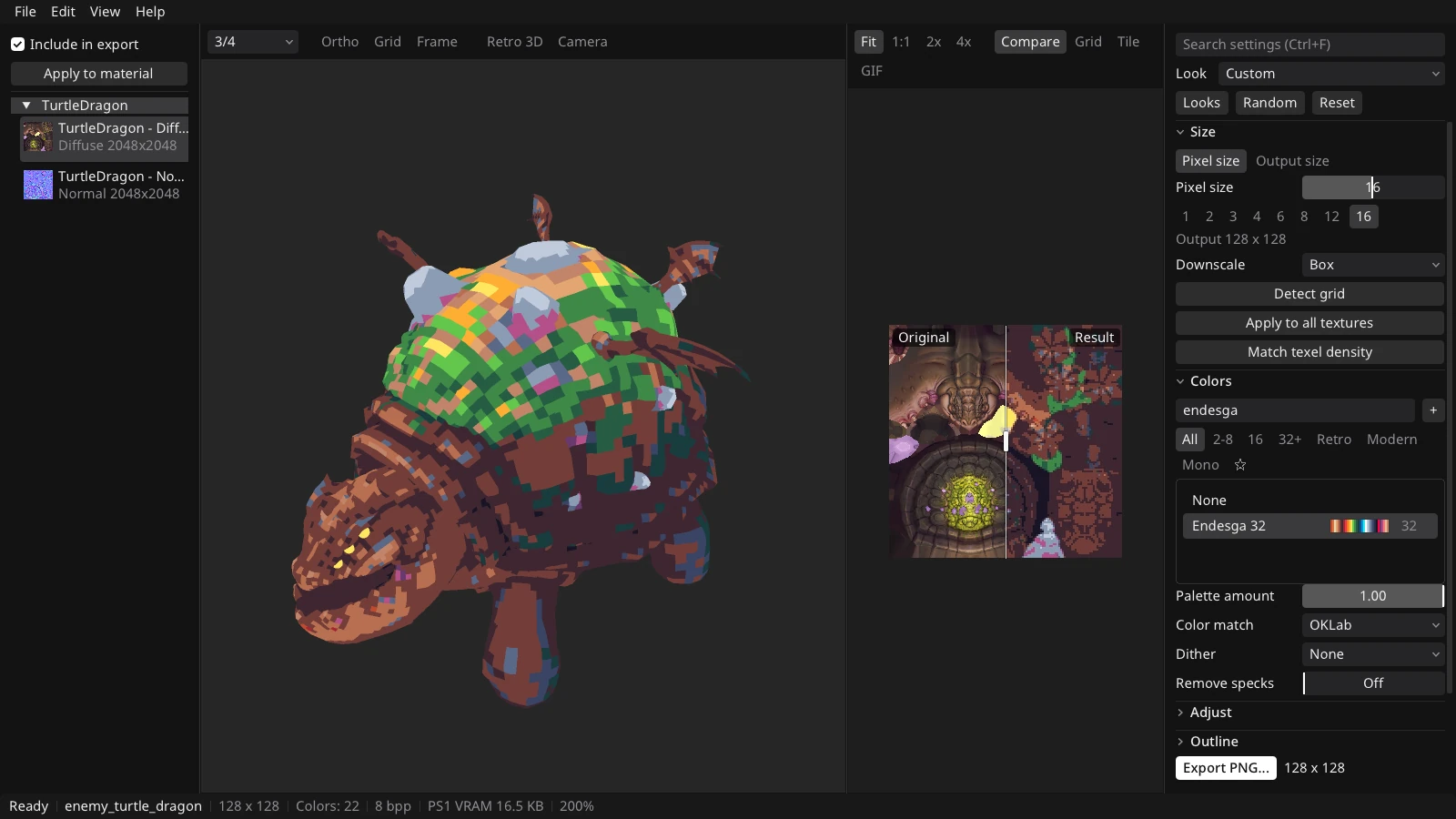
Spectre Pixel turns images and 3D model textures into low-resolution, palette-limited pixel art. Changes show on the model as you make them, and the result exports as textures, models, sprite sheets or GIFs.
Free / Desktop and Browser
Spectre Pixel
Turn images and 3D model textures into pixel art, with a live 3D preview.
About
Details
- Version
- 0.3.0
- Price
- Free
- Windows
- 10 or 11, 64-bit
- macOS
- 11 or later, Apple Silicon or Intel
- Linux
- x86-64, glibc 2.29 or later, X11, OpenGL 3.3
- Browser
- WebGL 2
Screenshots
Features
Resolution
Set a pixel size from 1 to 32 or a fixed output size, and choose how colors are sampled when scaling down. Detect Grid recovers the real pixels from upscaled pixel art.
Palettes and Dithering
Pick from 68 built-in palettes, import GPL, PAL, ACT and ASE files, or take a palette from an image. Match colors in RGB or OKLab, with 16 dither modes.
3D Preview
Load OBJ, glTF, GLB, FBX, IQM and VOX models and see the processed textures on the model. The PS1 view adds affine texture warping and vertex snapping. Animation clips, turntables and direction sheets export from the same view.
Looks and Batch
Start from looks such as PS1, SNES, Game Boy, PS1 Horror and N64 Fog, then save your own recipes. The Batch window and the --batch command process whole folders.
Export
Textures as PNG, indexed PNG, PlayStation TIM or Aseprite. Models as OBJ, glTF or GLB. Animations as GIF, APNG or sprite sheets with JSON. Unity .meta and Godot .import files can be written beside the textures.
Projects and Languages
Work saves as .spectre project files, with autosave and recovery after a crash. The interface comes in English, Polish, German, Russian, Simplified Chinese and Japanese, with 30 themes.
The macOS build is not notarized: open System Settings > Privacy & Security and choose Open Anyway. In the browser, files open up to 64 MB each.